

Coding with an AI- Assistant: Our Journey Building a Resource Allocation Module with AI Assistance


Every so often, a project shows up on the roadmap that feels different — not just another feature to deliver, but a chance to rethink how we build. For our team, the Resource Allocation module was exactly that.
What began as a routine engineering task quickly turned into something more: a hands-on experiment in AI-assisted development. We wanted to see just how far we could go with tools like Cursor and GPT — especially while navigating unfamiliar territory, armed with limited context and a lot of curiosity.
From initial design to production rollout, this module became a way to test the strengths and limitations of these tools, and to see where human judgment remains indispensable.
This is the story of that experiment: the challenges we ran into, the efficiencies we unlocked, and the lessons we carry forward with AI in the passenger seat.
Act 1: The Groundwork – When AI Met Our Database (and Our Conventions)
We kicked things off with the foundations: setting up new database fields, creating new tables, and seeding data across multiple environments. It may sound simple on paper, but most developers know that even simple tasks can reveal hidden complexity — especially when stepping into a mature codebase and bringing AI into the mix.
What worked:
The AI proved to be adept at handling Liquibase migration scripts — new tables, fields, and constraints came together pretty quickly.
When we caught errors like missing table existence checks or unsafe default behaviours, the AI corrected them efficiently, usually within the first prompt.
Updates to the backend — DTOs, entities, and the scaffolding of new repositories, services, and controllers — were largely accurate, usually needing only minor tweaks.
What didn’t work so well:
Despite being fed templates as context, the AI occasionally sidestepped our coding conventions — security annotations were skipped, and naming conventions weren’t always respected until we nudged it in the right direction.
The AI sometimes misplaced changelog files, requiring manual cleanup and breaking folder-level consistency.
Seeding data became a bit of a back-and-forth. While the AI could generate it, formatting inconsistencies and edge cases meant we had to manually review and polish the output.
The AI often left behind unused or obsolete code, requiring manual pruning.
Key Learning:
The first few days were a masterclass in context. The AI’s output reflected the clarity — and the gaps — in our prompts and the background information provided. Any ambiguity or missing detail in our inputs surfaced in the output — and it was on us to course-correct.
Act 2: Visualizing Success – AI on the Frontend, Nuances on the Backend
With the database prepped, the spotlight turned to the Resource Allocation Dashboard. The goal was straightforward: design a clear, intuitive interface to illustrate engineer skills distribution, allocation status, and project assignments. But pulling this off required tight coordination between existing backend logic and frontend design.
What worked:
Frontend development moved remarkably quickly. The AI adapted to our existing design system and implemented components like summary cards, pie charts, and tables with surprising accuracy, often getting it right on the first try.
The AI intelligently reused existing backend endpoints where appropriate and also correctly identified when new controller methods were necessary.
What didn’t work so well:
Backend logic didn’t always show up fully formed. The AI sometimes wrote controller methods but left out the corresponding service or repository layers, which meant additional prompts were needed to complete the flow.
File organization occasionally went astray, with some utility components ended up outside their designated modules, requiring reorganization. Moreover, the AI didn't always inherently grasp modularity or reusability patterns without guidance.
Remnants of old logic sometimes lingered after refactoring, and there were minor instances of frontend components being mapped to incorrect API endpoints, though these were quickly remedied.
Key Learning:
AI proved far more effective for visual, self-contained tasks where context was explicit. Frontend scaffolding played to its strengths. However, backend logic — especially anything that spanned multiple layers — needed more granular instructions and a keener human eye to stay coherent.
Act 3: The Modularity Maze – A Lesson in AI's Foresight (or Lack Thereof)
Next, we focused on building two nearly identical frontend management pages — one for engineers and the other for projects. Since their structure was nearly identical, we went in aiming for clean modularity and maximum component reuse. To set the foundation right, we started by prompting the AI to scaffold just the first page, emphasizing the need for reusable, generic design.
What worked:
With detailed guidance, the AI quickly scaffolded the layouts and component structure into something solid and readable.
For lightweight backend interactions — like fetching data by entity name or ID — it performed reliably when given enough context.
When we asked it to refactor for modularity after the fact, it was able to extract and reuse some components, though not as consistently or cleanly as we’d hoped.
What didn’t work so well:
Starting with a single page caused the AI to “overfit” to that use case. When building the second page, we found that many ‘reusable’ components required major rework.
As more features were added, the AI tended to inject page-specific logic into components rather than maintaining their generic nature, further eroding reusability.
It also initially misclassified the folder structure, placing frontend files under backend directories, until we stepped in to correct it.
A few field mismatches from API responses caused UI failures that resulted in silent failures — no errors, just blank UI where content should have appeared, emphasizing the value of strong typing.
Trying to refactor for modularity after the initial specific implementation proved far more challenging and bug-prone than designing for it upfront.
Key Learning:
AI, at least in this experience, doesn't inherently design for future-proofing unless explicitly guided to do so with a broader context from the very beginning. Retrofitting abstraction is a much heavier lift.
Act 4: The Breakthrough – When Meticulous Planning Unlocked AI's Speed
The final piece of the puzzle was the Allocation Matcher screen — a tool designed to score and rank engineers against project requirements. This time, we took stock of our learnings and altered our approach to employ extensive upfront engineering. UI layout, user flow, backend needs, folder structures, and even relevant existing controller files were meticulously prepared as context before a single prompt was written.
What worked:
The turnaround was incredible. Within five minutes of prompting, the screen was scaffolded, functional, and mostly complete. Revisions and polish included, the entire task was wrapped up in under an hour.
We shifted our prompting style from ‘telling the AI what to do’ to ‘describing the desired outcome’ — outlining UI expectations, flow, and data needs, and giving it clear boundaries to work within creatively.
By attaching the backend controller folder as context, we avoided any hallucinated endpoints. The AI correctly integrated with the existing controller logic and file structures.
The output was clean: modular components, readable structure, and reusability aligned perfectly with the rest of the codebase, thanks to the contextual files provided upfront.
What didn’t work so well:
We forgot to include our standard request service utility in the context, so the AI invented a new one. Once flagged, it was a quick fix.
A few minor object reference issues crept in (e.g., using name instead of title when referencing a project title) — a recurring case for stronger typing support like TypeScript.
Without clear pointers, the AI still had a tendency to guess. This reinforced our earlier learning: context isn’t optional — it’s the lever that transforms AI from clever to reliable.
Key Learning:
The more thoroughly the problem was engineered before engaging the AI, the faster, cleaner, and more accurate the AI's contribution became. Full context transformed the AI from a mere coder to a highly effective accelerator.
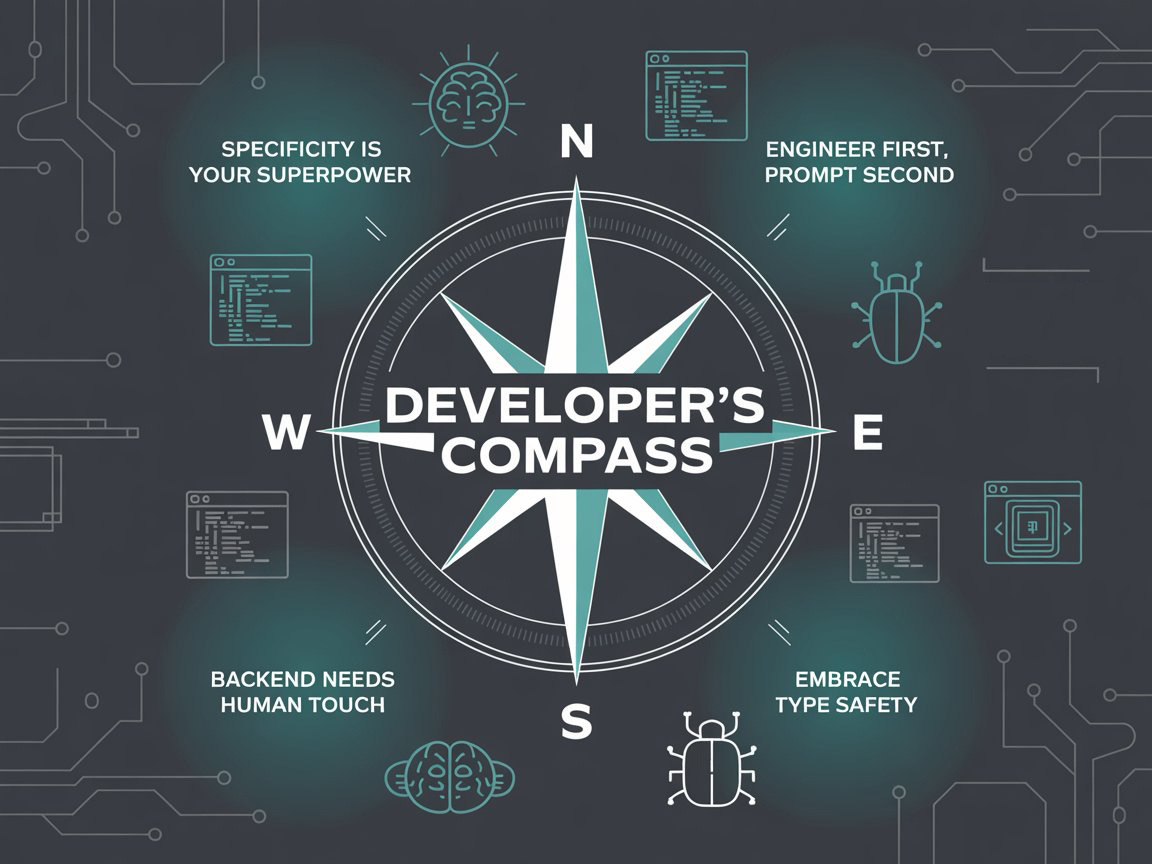
The Developer's Compass: Guiding Principles from Our AI Experiments
Building the Resource Allocation Module wasn’t just about delivering features, it was about learning how to collaborate with a new kind of teammate. As we worked alongside AI, certain patterns kept emerging. These became the principles we now carry forward into future projects:
Specificity is your superpower: Vague prompts yield vague results. High-quality, detailed instructions, complete with technical conventions and relevant code samples, are non-negotiable for quality output.
Engineer first, prompt second: The more time that is spent defining the problem, UI, data flow, and component structure before writing a prompt, the cleaner and faster the AI’s assistance. We remain — first and foremost — engineers.
Context Over Commands: Instead of micromanaging, focus on providing the AI with rich, relevant context (like existing files, folders, and code patterns). This allows it to "reason" more effectively, akin to a human collaborator.
Backend Logic Needs a Human Touch: While AI excels at scaffolding, complex business logic and domain-specific validations often require closer human scrutiny and iterative refinement.
Embrace Type Safety: Minor errors, like referencing incorrect properties, were recurrently encountered. Tools like TypeScript can significantly help the AI infer correct data structures and reduce these subtle bugs.
The Path Forward: Reflections on Our AI-Assisted Development Journey💡
Our hands-on experiment with AI-assisted development in the Resource Allocation module has been illuminating. It’s clear that AI tools are powerful accelerators, but they are not magic wands. They amplify the clarity of our thought and the rigor of our planning. The real transformation happens when we learn to ask better questions, provide richer context, and collaborate iteratively with AI — not as a tool, but as a teammate.
The road ahead is long, but with these lessons as our map and compass, we’re better equipped to build not just faster — but better.
 |
|
 |
|